Getting started
Settings and Integrations
Settings controls connected services and reminder preferences that support your daily workflow.
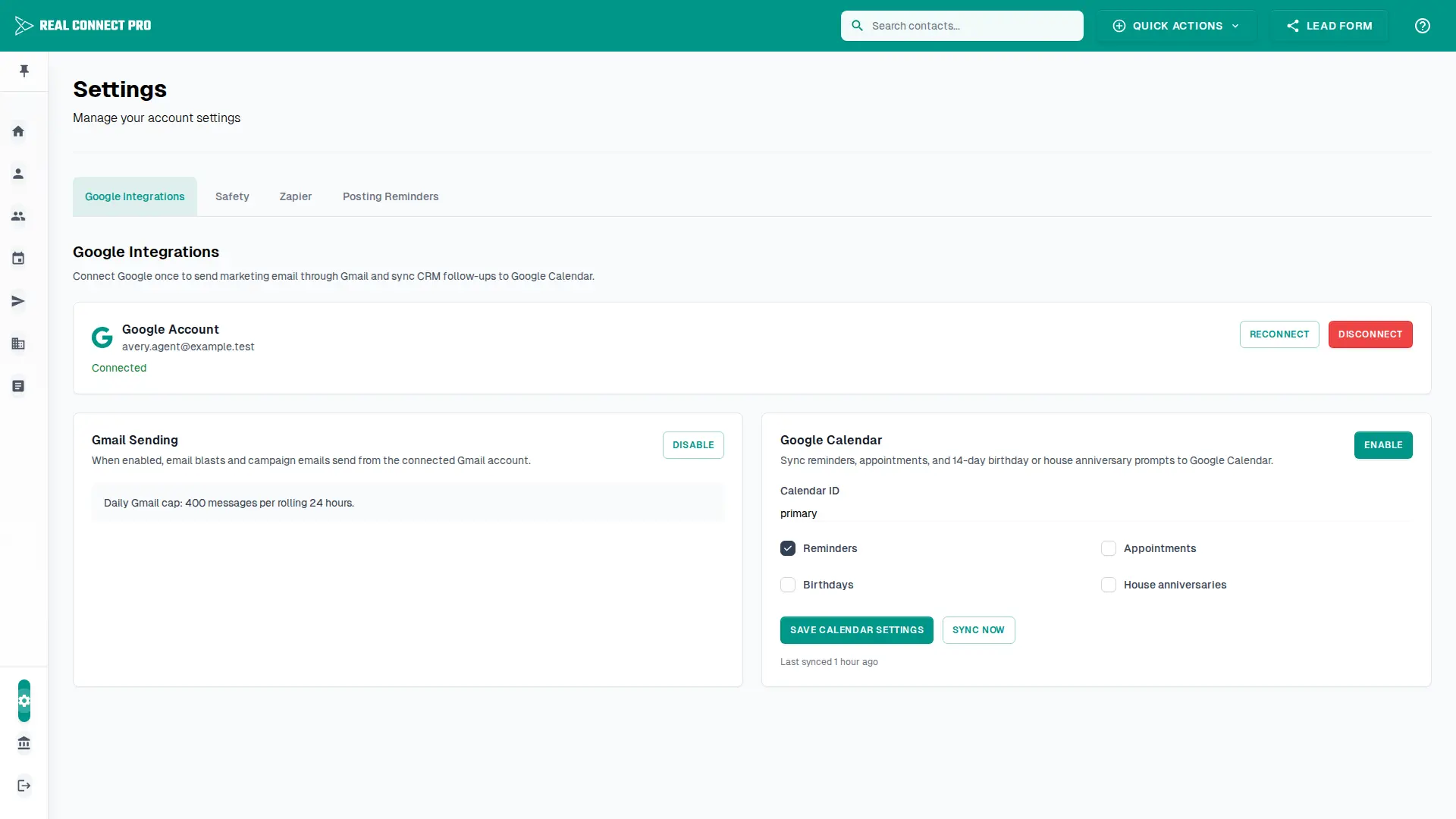
Google integrations
Connect Google once from Settings to enable Gmail sending and Google Calendar sync options.
Use Reconnect if Google access needs to be refreshed.
Use Disconnect to remove the connected Google account from RealConnectPro.
Gmail and calendar options
Gmail sending
When enabled, email blasts and campaign emails send through the connected Gmail account. The app shows the configured daily Gmail cap.
Google Calendar
Choose the calendar ID, enable the categories you want synced, save settings, and use Sync Now to queue a backfill.
Posting reminders
Use the Posting Reminders tab to choose a daily or 3-5 times per week social posting goal. RealConnectPro tracks the current streak based on that frequency.