Connections
Batch Management
After importing connections, use Batch Management to clean up the new records before returning to your full database.
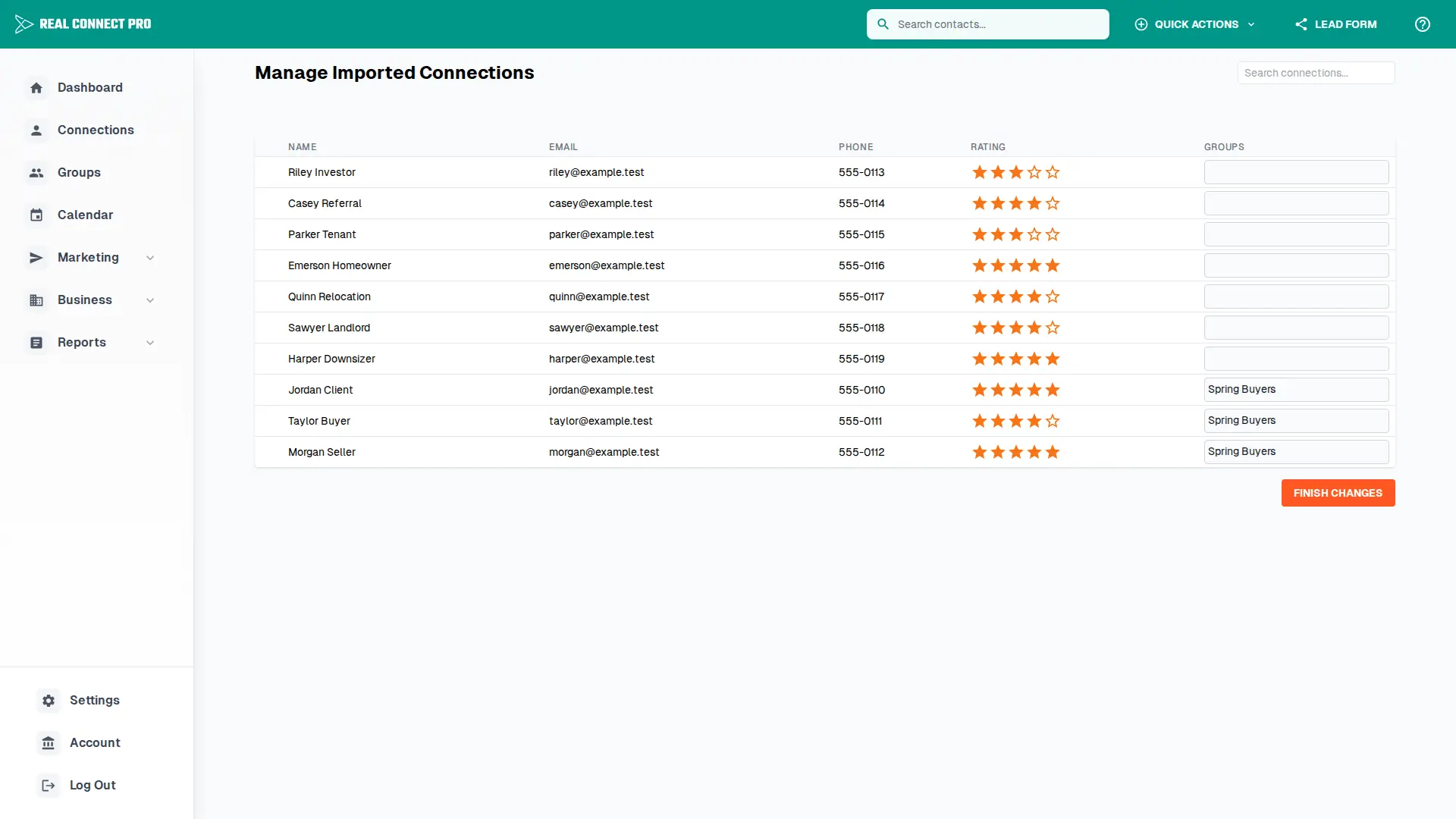
Review an import batch
Search inside the current import batch to narrow the list.
Select individual connections or use select all to apply changes to the full filtered batch.
Set ratings for selected contacts with the star controls.
Add selected contacts to a static group from the Add to Group menu.
Use the row-level group dropdown to adjust a single contact.
Click Finish Changes when the batch is ready.
Best practices
Segment early
Assign groups during import review so the contacts are ready for targeted email blasts and campaigns.
Rate consistently
Use ratings to keep priority follow-up contacts easy to identify after the batch is finished.